

Phiên bản mới nhất
Phiên bản
1.1.0
1.1.0
Cập nhật
October 18, 2026
October 18, 2026
Nhà phát triển
IceWarp
IceWarp
Thể Loại
Tài Chính- mua sắm
Tài Chính- mua sắm
Nền tảng
Android
Android
Tải ngay
0
0
Giấy phép
Miễn phí
Miễn phí
Tên gói
com.icewarp.authenticator
com.icewarp.authenticator
Báo cáo
Báo cáo sự cố
Báo cáo sự cố
Thông tin thêm về IceWarp Authenticator
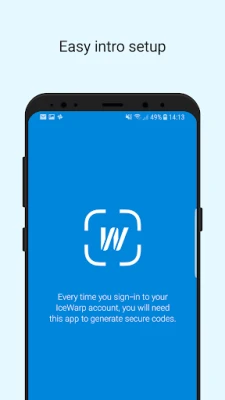
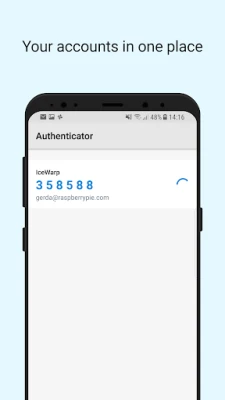
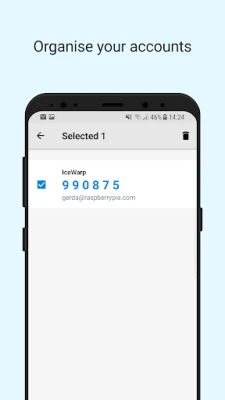
IceWarp Authenticator provides ultimate security for your IceWarp account through a Two-Step Verification process. Step one: type your password as usual. Step two: retype the one-time code generated by IceWarp Authenticator. The code changes every 30 seconds and proves your identity through something you always carry with you – your mobile phone.
Why Two-Step Verification?
-------------------------------------
Protects you against password theft
No extra password to remember
Easily accessible through the application
Works without cellular/internet connection
Features
-------------------------------------
Effortless setup by scanning a QR code
Supports multiple accounts
Time-based code generation
Setup Two-Step Verification
-------------------------------------
1. Download the IceWarp Authenticator app.
2. Login to your WebClient account and open Options under your photo.
3. On the screen that opens click the Two-Step Verification button and select the IceWarp Authenticator app.
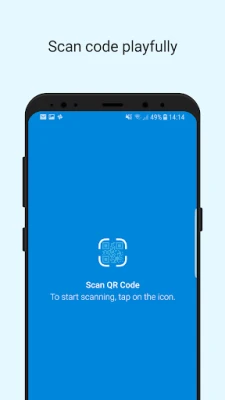
4. Open the IceWarp Authenticator, tap Start Setup, tap the icon to Scan QR Code. Allow the app to access the camera when prompted.
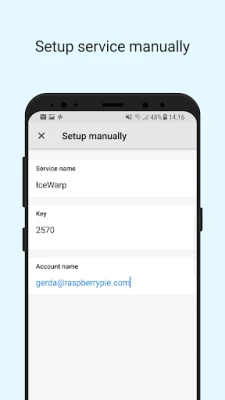
5. Scan the QR code displayed in WebClient, or alternatively retype the Key into the app.
-------------------------------------
Protects you against password theft
No extra password to remember
Easily accessible through the application
Works without cellular/internet connection
Features
-------------------------------------
Effortless setup by scanning a QR code
Supports multiple accounts
Time-based code generation
Setup Two-Step Verification
-------------------------------------
1. Download the IceWarp Authenticator app.
2. Login to your WebClient account and open Options under your photo.
3. On the screen that opens click the Two-Step Verification button and select the IceWarp Authenticator app.
4. Open the IceWarp Authenticator, tap Start Setup, tap the icon to Scan QR Code. Allow the app to access the camera when prompted.
5. Scan the QR code displayed in WebClient, or alternatively retype the Key into the app.
Đánh giá ứng dụng
Thêm nhận xét và đánh giá
Đánh giá của người dùng
Dựa trên 0 đánh giá
Chưa có đánh giá nào được thêm vào.
Các bình luận sẽ không được chấp thuận để đăng nếu chúng là SPAM, lạm dụng, lạc đề, sử dụng ngôn từ tục tĩu, chứa đựng sự tấn công cá nhân hoặc kích động sự thù ghét dưới bất kỳ hình thức nào.















Xem thêm »

Phổ biến nhất

MiniTool Power Data Recovery Free 8.5.0MiniTool Solution Ltd.

Zalo PCZalo Group

Dingtone: Calling & TextingPhone call & text message app

Payback 2 - The Battle SandboxApex Designs Games LLP

MBCambodia My BankMB Bank

Top Football Manager 2024Gamegou Limited

Duolingo: Học ngoại ngữDuolingo

War Thunder MobileTanks, ships and aircraft

King of boxingKEENGAME

Đấu trường OnmyojiDZOGAME Viet Nam
Xem thêm »
Công cụ hữu ích

TikTokTikTok Pte. Ltd.

FacebookMeta Platforms, Inc.

HWiNFO7.68REALiX
Zalo PCZalo Group
War Thunder MobileTanks, ships and aircraft

Grim Soul: Dark Survival RPGBrickworks Games Ltd

Craft of Survival - Gladiators101XP LIMITED

Last Shelter: SurvivalLong Tech Network Limited

Dawn of Zombies: Survival GameRoyal Ark

Merge Survival : WastelandStickyHands Inc.
 Games - Trò chơi
 Mạng Xã Hội
 Email - Chat - Gọi Điện
 Ứng Dụng Giải Trí
 Bảo Mật
 Phần mềm hệ thống
 Đa phương tiện
 Internet
 Tài Chính- mua sắm
 Thiết Kế
 Giáo Dục
 Công Nghệ Thông Tin
 Du lịch và địa điểm
 Android
 iOS
iOS Windows
 Mac
Mac Linux
Linux Web
Web