

Phiên bản mới nhất
Phiên bản
4.1.2
4.1.2
Cập nhật
January 08, 2024
January 08, 2024
Nhà phát triển
Pro video editing and effects
Pro video editing and effects
Thể Loại
Đa phương tiện
Đa phương tiện
Nền tảng
iOS
iOS
Kích thước tập tin
203.2 MB
203.2 MB
Tải ngay
0
0
Giấy phép
699.000đ
699.000đ
Báo cáo
Báo cáo sự cố
Báo cáo sự cố
Thông tin thêm về LumaFusion
Welcome to the App Store’s “App of the Year” for 2021 and the recipient of the Editors’ Choice Award, for video editors and storytellers. LumaFusion is the gold standard for storytellers around the world with a fluid, intuitive, elegant, award-winning touch-screen editing experience. A video editor inspired by, and specifically designed and engineered for touch.
Introducing LumaFusion Multicam Studio!
Multicam Editing reimagined for the touch experience.
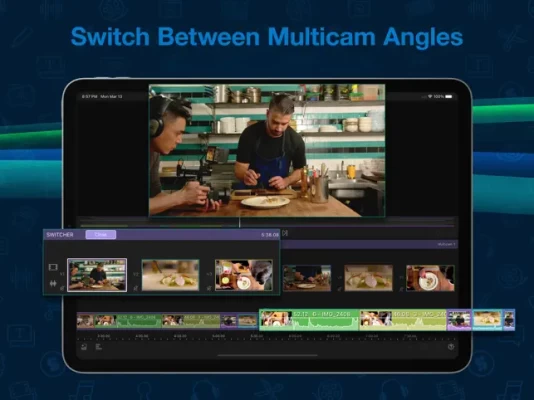
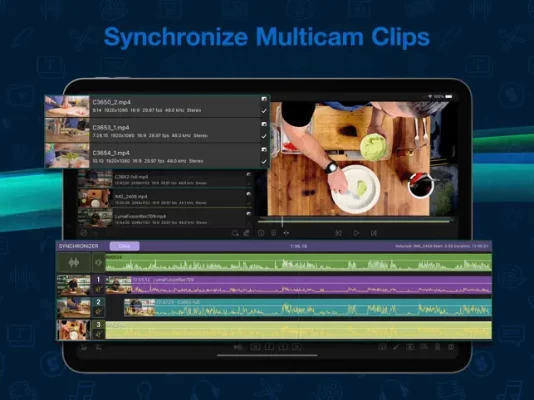
Multicam Studio quickly syncs up to 6 media sources into a single track and makes the switching process almost too enjoyable. You focus on the story and Multicam will take care of the rest.
Multicam Studio is now available as an in-app, one-time purchase, integrating seamlessly with LumaFusion.
LumaFusion features:
EDITING
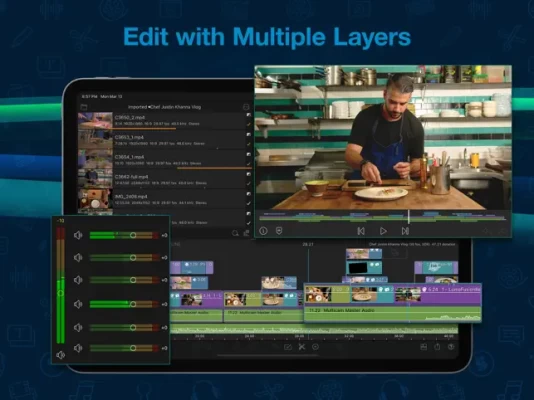
• 6 video/audio or graphic tracks
• 6 additional audio tracks
• Professional editing with magnetic timeline, insert/overwrite, link/unlink clips + locking, hiding, and muting tracks
• Choose from dozens of transitions
• Preview on an External Monitor using AirPlay or HDMI
• Add markers and notes
• Cut, copy, paste clips in your timeline and between timelines
EFFECTS
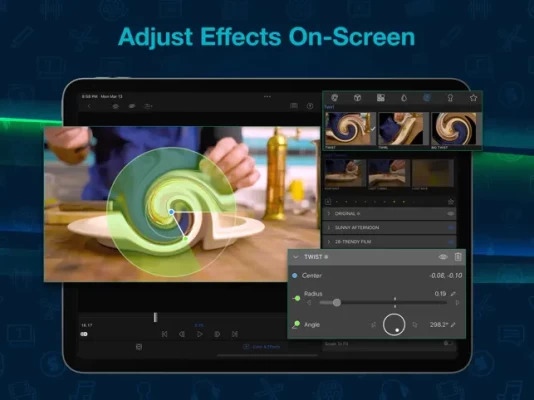
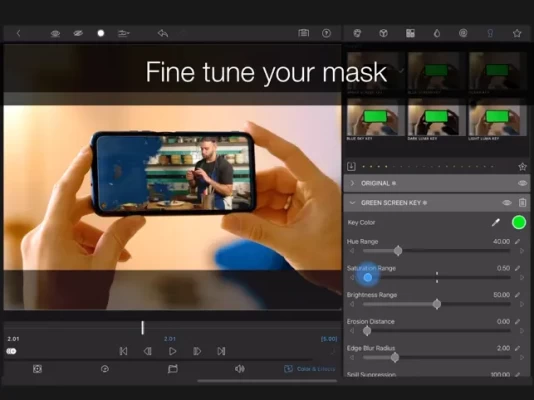
• Layered effects; green screen, luma and chroma keys, blurs, distort, styles and color
• Lock and Load Video Stabilizer
• Powerful color correction tools
• Color LUT presets like FiLMiC deLog or import your own .cube or .3dl
• Unlimited keyframes to animate effects
• Save and share effect presets
• Speed FX: Slow motion/fast motion forward and reverse
• Edit with time-lapse video or high framerate video
AUDIO
• Fine tune with Graphic EQ, NEW Parametric EQ, NEW voice isolation and more.
• Keyframe audio levels, panning and EQ for perfect mixes
• Fill-from-left / right for dual-mono audio captures
• Isolate tracks on multiple track files
• Duck music during dialog with Auto-ducking
• Add third-party audio plugins
TITLER
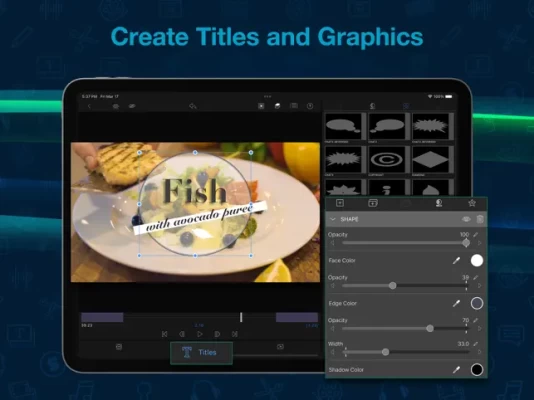
• Create multilayer titles with shapes and images
• Adjust font, color, face, border and shadow
• Import custom fonts
• Save and share title presets
PROJECT MANAGER
• Create endless projects with a variety of aspect ratios (including 16:9 landscape, 9:16 portrait, square, widescreen film, anamorphic and more)
• Create projects for editing iPhone and iPad screen recordings
• Work in frame rates from 18fps to 240fps
• Duplicate, add notes, and color-tag
• Archive projects for backup
MEDIA LIBRARY
• Use media directly from Photos, Frame.io and USB-C drives
• Import media: cloud storage and SMB network drives
• Enjoy Storyblocks for LumaFusion, a collection of royalty free music, SFX, and clips (subscription available)
• View detailed metadata, rename, add notes, and color tag
• Sort and search to quickly find media
SHARE
• Easily share movies and control the resolution, quality, and format
• Create still frame snapshots
• Send projects to edit on another device
• Full ProRes editing and export (on compatible devices)
AVAILABLE PURCHASES
• NEW: Get Multicam Studio for syncing and cutting multiple angles (one-time purchase)
• Subscribe to Storyblocks for LumaFusion to access the full library of music and clips
• Export to Final Cut Pro (FCPXML) for further editing on the desktop (one-time purchase)
EXCEPTIONAL FREE SUPPORT
• Access in-app help and online tutorials
• Explore our reference guide at luma-touch.com/lumafusion-reference-guide
• Contact our friendly support editing experts at luma-touch.com/support
Multicam Editing reimagined for the touch experience.
Multicam Studio quickly syncs up to 6 media sources into a single track and makes the switching process almost too enjoyable. You focus on the story and Multicam will take care of the rest.
Multicam Studio is now available as an in-app, one-time purchase, integrating seamlessly with LumaFusion.
LumaFusion features:
EDITING
• 6 video/audio or graphic tracks
• 6 additional audio tracks
• Professional editing with magnetic timeline, insert/overwrite, link/unlink clips + locking, hiding, and muting tracks
• Choose from dozens of transitions
• Preview on an External Monitor using AirPlay or HDMI
• Add markers and notes
• Cut, copy, paste clips in your timeline and between timelines
EFFECTS
• Layered effects; green screen, luma and chroma keys, blurs, distort, styles and color
• Lock and Load Video Stabilizer
• Powerful color correction tools
• Color LUT presets like FiLMiC deLog or import your own .cube or .3dl
• Unlimited keyframes to animate effects
• Save and share effect presets
• Speed FX: Slow motion/fast motion forward and reverse
• Edit with time-lapse video or high framerate video
AUDIO
• Fine tune with Graphic EQ, NEW Parametric EQ, NEW voice isolation and more.
• Keyframe audio levels, panning and EQ for perfect mixes
• Fill-from-left / right for dual-mono audio captures
• Isolate tracks on multiple track files
• Duck music during dialog with Auto-ducking
• Add third-party audio plugins
TITLER
• Create multilayer titles with shapes and images
• Adjust font, color, face, border and shadow
• Import custom fonts
• Save and share title presets
PROJECT MANAGER
• Create endless projects with a variety of aspect ratios (including 16:9 landscape, 9:16 portrait, square, widescreen film, anamorphic and more)
• Create projects for editing iPhone and iPad screen recordings
• Work in frame rates from 18fps to 240fps
• Duplicate, add notes, and color-tag
• Archive projects for backup
MEDIA LIBRARY
• Use media directly from Photos, Frame.io and USB-C drives
• Import media: cloud storage and SMB network drives
• Enjoy Storyblocks for LumaFusion, a collection of royalty free music, SFX, and clips (subscription available)
• View detailed metadata, rename, add notes, and color tag
• Sort and search to quickly find media
SHARE
• Easily share movies and control the resolution, quality, and format
• Create still frame snapshots
• Send projects to edit on another device
• Full ProRes editing and export (on compatible devices)
AVAILABLE PURCHASES
• NEW: Get Multicam Studio for syncing and cutting multiple angles (one-time purchase)
• Subscribe to Storyblocks for LumaFusion to access the full library of music and clips
• Export to Final Cut Pro (FCPXML) for further editing on the desktop (one-time purchase)
EXCEPTIONAL FREE SUPPORT
• Access in-app help and online tutorials
• Explore our reference guide at luma-touch.com/lumafusion-reference-guide
• Contact our friendly support editing experts at luma-touch.com/support
Đánh giá ứng dụng
Thêm nhận xét và đánh giá
Đánh giá của người dùng
Dựa trên 0 đánh giá
Chưa có đánh giá nào được thêm vào.
Các bình luận sẽ không được chấp thuận để đăng nếu chúng là SPAM, lạm dụng, lạc đề, sử dụng ngôn từ tục tĩu, chứa đựng sự tấn công cá nhân hoặc kích động sự thù ghét dưới bất kỳ hình thức nào.













Xem thêm »

Phổ biến nhất

MiniTool Power Data Recovery Free 8.5.0MiniTool Solution Ltd.

Zalo PCZalo Group

Dingtone: Calling & TextingPhone call & text message app

Payback 2 - The Battle SandboxApex Designs Games LLP

MBCambodia My BankMB Bank

Top Football Manager 2024Gamegou Limited

Duolingo: Học ngoại ngữDuolingo

War Thunder MobileTanks, ships and aircraft

King of boxingKEENGAME

Đấu trường OnmyojiDZOGAME Viet Nam
Xem thêm »
Công cụ hữu ích

TikTokTikTok Pte. Ltd.

FacebookMeta Platforms, Inc.

HWiNFO7.68REALiX
Zalo PCZalo Group
War Thunder MobileTanks, ships and aircraft

Grim Soul: Dark Survival RPGBrickworks Games Ltd

Craft of Survival - Gladiators101XP LIMITED

Last Shelter: SurvivalLong Tech Network Limited

Dawn of Zombies: Survival GameRoyal Ark

Merge Survival : WastelandStickyHands Inc.
 Games - Trò chơi
 Mạng Xã Hội
 Email - Chat - Gọi Điện
 Ứng Dụng Giải Trí
 Bảo Mật
 Phần mềm hệ thống
 Đa phương tiện
 Internet
 Tài Chính- mua sắm
 Thiết Kế
 Giáo Dục
 Công Nghệ Thông Tin
 Du lịch và địa điểm
 Android
 iOS
iOS Windows
 Mac
Mac Linux
Linux Web
Web