

Phiên bản mới nhất
Phiên bản
3.0.29
3.0.29
Cập nhật
February 02, 2025
February 02, 2025
Nhà phát triển
Cinema Quality Video Capture
Cinema Quality Video Capture
Thể Loại
Đa phương tiện
Đa phương tiện
Nền tảng
iOS
iOS
Kích thước tập tin
64.4 MB
64.4 MB
Tải ngay
0
0
Giấy phép
Free
Free
Báo cáo
Báo cáo sự cố
Báo cáo sự cố
Thông tin thêm về Pormular: Video Camera Pro
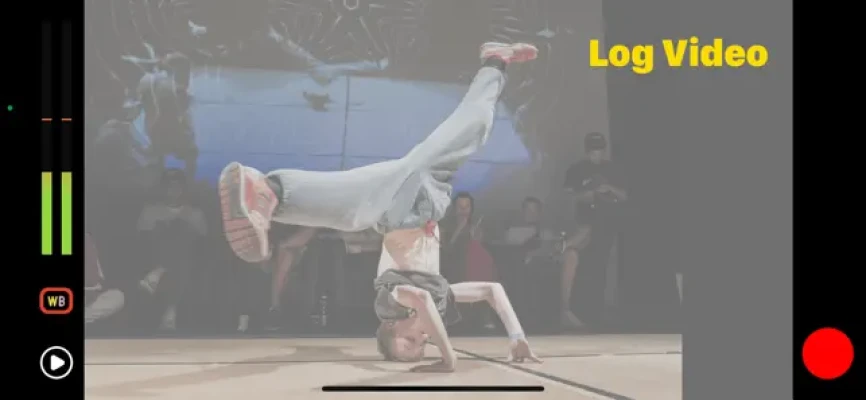
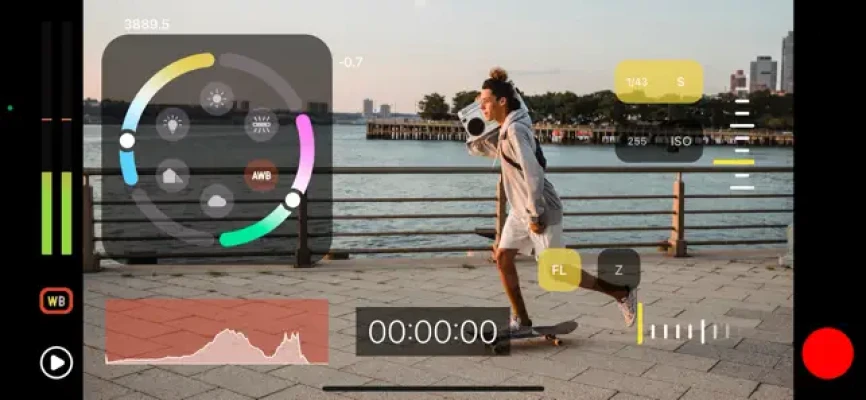
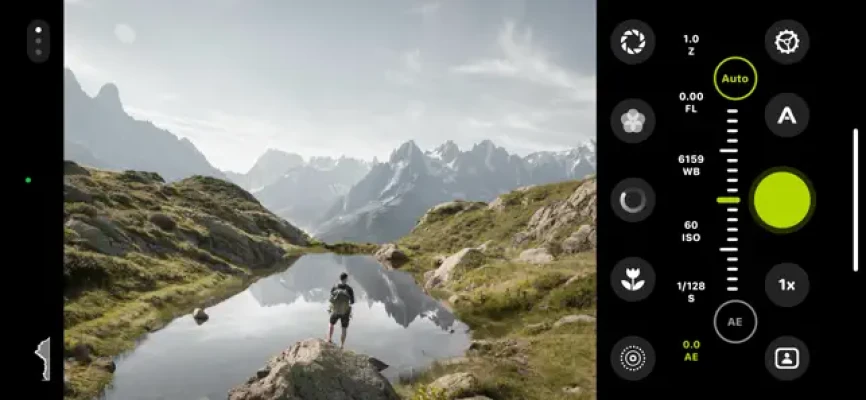
Shooting Modes:- Professional Camera- Professional Cinema Camera- Multiple Cameras- 8K Time-lapse Photography- Film Camera
Professional Camera Features:
- Manual/Automatic Exposure Control (Shutter, ISO)
- Manual/Automatic Focus Control
- Manual/Automatic White Balance Control (Color Temperature, Tint)
- Manual Zoom Control
- Exposure/Focus Points of Interest
- Zebra Lines, Peak Focus, False Color Image Analysis
- Brightness Histogram, RGB Histogram
- Macro Mode
- Depth Mode
- Slow Shutter Mode
- Live Photos
- HDR photography
- Burst
- Presets
- Triple Camera Simultaneous Shooting
- Timed Photography
- De-sharpening
- Level
- Assist Lines
- Multiple aspect ratios
- Photo Quality Settings
- Photo Formats (RAW+JPEG, RAW+HEIF, JPEG, HEIF, TIFF, RAW, PRORAW, PRORAW+JPEG)
- Photo Pixels (48MP, 24MP, 12MP, 8MP, 5MP, 0.3MP)
- Front Camera Mirroring
Professional Cinema Camera Features:
- Manual/Automatic Exposure Control (Shutter, ISO)
- Manual/Automatic Focus Control
- Manual/Automatic White Balance Control (Color Temperature, Tint)
- Manual Zoom Control
- Exposure Points of Interest, Focus Points of Interest (Supports Exposure-Focus Separation)
- Zebra Lines, Peak Focus, False Color Image Analysis
- Real-time Oscilloscope, including Brightness Histogram, RGB Histogram, Brightness Waveform, RGB Component Waveform, RGB Overlay Waveform
- Real-time Audio Analysis
- Local Video Management, Batch Saving, Batch Deletion, Supports Viewing Video Information
Video Resolutions:
- 4K, 3K, 2K, 1080P, 720P, 540P
Video FPS:
- 4K, 3K, 2K Video Recording, 24 fps, 25 fps, 30 fps, 48 fps, 60 fps
- 1080P Video Recording, 24 fps, 25 fps, 30 fps, 48 fps, 60 fps, 120 fps, 240 fps
- 720P Video Recording, 24 fps, 25 fps, 30 fps, 48 fps, 60 fps, 120 fps, 240 fps
- 540P Video Recording, 24 fps, 25 fps, 30 fps, 48 fps, 60 fps
Video Aspect Ratios:
- 16:9, 1:1, 2.2:1, 4:3, 2.39:1, 3:2
Video Codecs:
- HEVC, H.264, ProRes
Video Dynamic Range:
- SDR8, SDR10, HDR (Dolby Vision), Apple Log (Only supports iPhone 15 Pro and above models)
Video Color Mapping:
- LTM, GTM
Video Quality:
- Low (30Mbps), Standard (60Mbps), High (100Mbps), Extreme (150Mbps)
Video Storage Formats:
- MOV, MP4
Audio Settings:
- Microphone Position (Bottom, Front, Rear)
- Audio Encoding Format (AAC, PCM)
- Audio Sampling Frequency (44.1 kHz, 48 kHz)
- Stereo Recording
- Mute Recording
Other Settings:
- Assist Lines (Thirds, Crosshairs, Visual Safe Area, Golden Spiral, Golden Ratio, Golden Triangle)
- Stabilization Support (Standard, Film, Extreme)
- Video Storage Locations (Local, System, Dual Storage)
Multi-Camera Shooting Features:
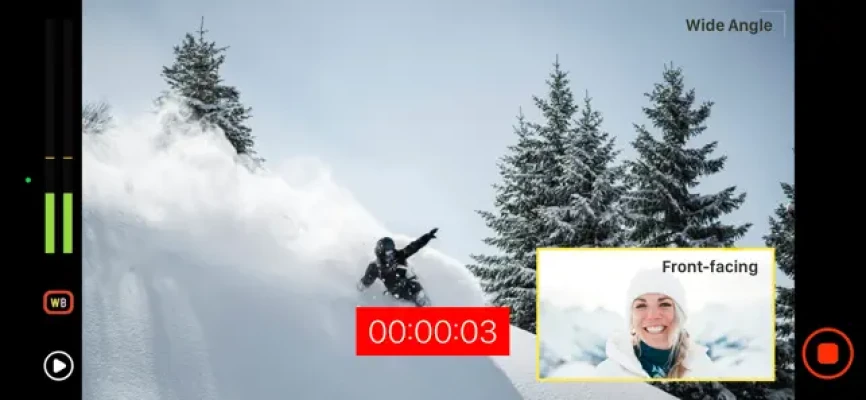
- Picture in Picture (Displays a small window in the corner of the main screen containing the image captured by another camera)
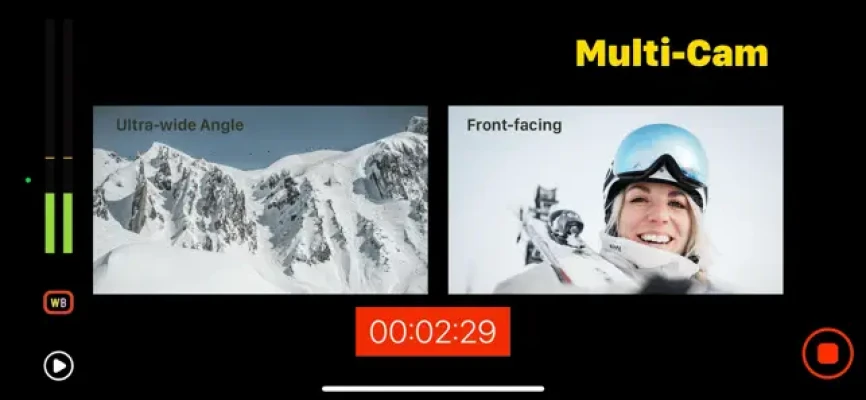
- Split Screen (Divides the screen into two parts, each displaying the image captured by different cameras)
- Independent Storage (In multiple camera shooting mode, the image captured by each camera can be stored independently in different media files)
Time-Lapse Photography Features:
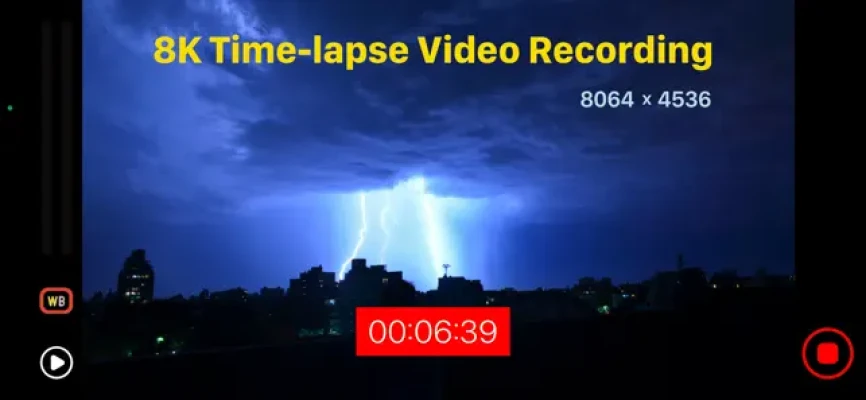
- Supports 8K resolution (Only supports iPhone 14 Pro and above models)
Film Camera Features:
- Film presets
- Photo paper
— About Subscription —
Annual Subscription: $9.99 / Year
About the subscription: After the trial period ends, it will automatically convert to a paid subscription. You can cancel the subscription before the trial period ends.
Payment: When confirming the purchase, payment will be charged to your iTunes account.
Auto-Renewal: The subscription will automatically renew unless auto-renewal is turned off at least 24 hours before the end of the current subscription period.
Canceling Renewal: To cancel the renewal, please manually turn off the auto-renewal feature in the iTunes/Apple ID settings management at least 24 hours before the current subscription period expires.
Privacy Policy:
http://www.movieoff.com/privacypolicy.html
User Agreement:
http://www.movieoff.com/termsofuse.html
- Manual/Automatic Exposure Control (Shutter, ISO)
- Manual/Automatic Focus Control
- Manual/Automatic White Balance Control (Color Temperature, Tint)
- Manual Zoom Control
- Exposure/Focus Points of Interest
- Zebra Lines, Peak Focus, False Color Image Analysis
- Brightness Histogram, RGB Histogram
- Macro Mode
- Depth Mode
- Slow Shutter Mode
- Live Photos
- HDR photography
- Burst
- Presets
- Triple Camera Simultaneous Shooting
- Timed Photography
- De-sharpening
- Level
- Assist Lines
- Multiple aspect ratios
- Photo Quality Settings
- Photo Formats (RAW+JPEG, RAW+HEIF, JPEG, HEIF, TIFF, RAW, PRORAW, PRORAW+JPEG)
- Photo Pixels (48MP, 24MP, 12MP, 8MP, 5MP, 0.3MP)
- Front Camera Mirroring
Professional Cinema Camera Features:
- Manual/Automatic Exposure Control (Shutter, ISO)
- Manual/Automatic Focus Control
- Manual/Automatic White Balance Control (Color Temperature, Tint)
- Manual Zoom Control
- Exposure Points of Interest, Focus Points of Interest (Supports Exposure-Focus Separation)
- Zebra Lines, Peak Focus, False Color Image Analysis
- Real-time Oscilloscope, including Brightness Histogram, RGB Histogram, Brightness Waveform, RGB Component Waveform, RGB Overlay Waveform
- Real-time Audio Analysis
- Local Video Management, Batch Saving, Batch Deletion, Supports Viewing Video Information
Video Resolutions:
- 4K, 3K, 2K, 1080P, 720P, 540P
Video FPS:
- 4K, 3K, 2K Video Recording, 24 fps, 25 fps, 30 fps, 48 fps, 60 fps
- 1080P Video Recording, 24 fps, 25 fps, 30 fps, 48 fps, 60 fps, 120 fps, 240 fps
- 720P Video Recording, 24 fps, 25 fps, 30 fps, 48 fps, 60 fps, 120 fps, 240 fps
- 540P Video Recording, 24 fps, 25 fps, 30 fps, 48 fps, 60 fps
Video Aspect Ratios:
- 16:9, 1:1, 2.2:1, 4:3, 2.39:1, 3:2
Video Codecs:
- HEVC, H.264, ProRes
Video Dynamic Range:
- SDR8, SDR10, HDR (Dolby Vision), Apple Log (Only supports iPhone 15 Pro and above models)
Video Color Mapping:
- LTM, GTM
Video Quality:
- Low (30Mbps), Standard (60Mbps), High (100Mbps), Extreme (150Mbps)
Video Storage Formats:
- MOV, MP4
Audio Settings:
- Microphone Position (Bottom, Front, Rear)
- Audio Encoding Format (AAC, PCM)
- Audio Sampling Frequency (44.1 kHz, 48 kHz)
- Stereo Recording
- Mute Recording
Other Settings:
- Assist Lines (Thirds, Crosshairs, Visual Safe Area, Golden Spiral, Golden Ratio, Golden Triangle)
- Stabilization Support (Standard, Film, Extreme)
- Video Storage Locations (Local, System, Dual Storage)
Multi-Camera Shooting Features:
- Picture in Picture (Displays a small window in the corner of the main screen containing the image captured by another camera)
- Split Screen (Divides the screen into two parts, each displaying the image captured by different cameras)
- Independent Storage (In multiple camera shooting mode, the image captured by each camera can be stored independently in different media files)
Time-Lapse Photography Features:
- Supports 8K resolution (Only supports iPhone 14 Pro and above models)
Film Camera Features:
- Film presets
- Photo paper
— About Subscription —
Annual Subscription: $9.99 / Year
About the subscription: After the trial period ends, it will automatically convert to a paid subscription. You can cancel the subscription before the trial period ends.
Payment: When confirming the purchase, payment will be charged to your iTunes account.
Auto-Renewal: The subscription will automatically renew unless auto-renewal is turned off at least 24 hours before the end of the current subscription period.
Canceling Renewal: To cancel the renewal, please manually turn off the auto-renewal feature in the iTunes/Apple ID settings management at least 24 hours before the current subscription period expires.
Privacy Policy:
http://www.movieoff.com/privacypolicy.html
User Agreement:
http://www.movieoff.com/termsofuse.html
Đánh giá ứng dụng
Thêm nhận xét và đánh giá
Đánh giá của người dùng
Dựa trên 0 đánh giá
Chưa có đánh giá nào được thêm vào.
Các bình luận sẽ không được chấp thuận để đăng nếu chúng là SPAM, lạm dụng, lạc đề, sử dụng ngôn từ tục tĩu, chứa đựng sự tấn công cá nhân hoặc kích động sự thù ghét dưới bất kỳ hình thức nào.












Xem thêm »

Phổ biến nhất

MiniTool Power Data Recovery Free 8.5.0MiniTool Solution Ltd.

Zalo PCZalo Group

Dingtone: Calling & TextingPhone call & text message app

Payback 2 - The Battle SandboxApex Designs Games LLP

MBCambodia My BankMB Bank

Top Football Manager 2024Gamegou Limited

Duolingo: Học ngoại ngữDuolingo

King of boxingKEENGAME

War Thunder MobileTanks, ships and aircraft

Đấu trường OnmyojiDZOGAME Viet Nam
Xem thêm »
Công cụ hữu ích

TikTokTikTok Pte. Ltd.

FacebookMeta Platforms, Inc.

HWiNFO7.68REALiX
Zalo PCZalo Group
War Thunder MobileTanks, ships and aircraft

Grim Soul: Dark Survival RPGBrickworks Games Ltd

Craft of Survival - Gladiators101XP LIMITED

Last Shelter: SurvivalLong Tech Network Limited

Dawn of Zombies: Survival GameRoyal Ark

Merge Survival : WastelandStickyHands Inc.
 Games - Trò chơi
 Mạng Xã Hội
 Email - Chat - Gọi Điện
 Ứng Dụng Giải Trí
 Bảo Mật
 Phần mềm hệ thống
 Đa phương tiện
 Internet
 Tài Chính- mua sắm
 Thiết Kế
 Giáo Dục
 Công Nghệ Thông Tin
 Du lịch và địa điểm
 Android
 iOS
iOS Windows
 Mac
Mac Linux
Linux Web
Web