

Phiên bản mới nhất
Phiên bản
1.2.1
1.2.1
Cập nhật
March 30, 2024
March 30, 2024
Nhà phát triển
Video Editor Beyond PC-Level
Video Editor Beyond PC-Level
Thể Loại
Đa phương tiện
Đa phương tiện
Nền tảng
iOS
iOS
Kích thước tập tin
317.1 MB
317.1 MB
Tải ngay
0
0
Giấy phép
Free
Free
Báo cáo
Báo cáo sự cố
Báo cáo sự cố
Thông tin thêm về WEILO, My Last Video Editor
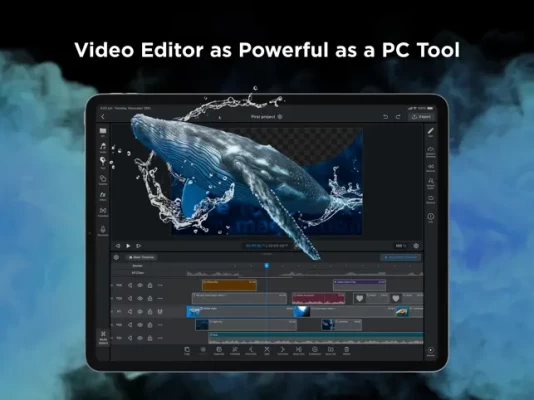
My Last Video Editor, WEILOThis is a powerful iPad-only video editor that never lags behind PC editors. Create any video you can imagine with WEILO. Free users can also use all editing features without restrictions.
# A New Standard in iPad Video Editing
• Experience professional-level editing anytime, anywhere with the portability of iPad and features comparable to PC editors
• It's easy to create artistic and innovative videos and images
• From beginners to experts, we provide an intuitive interface so that anyone who wants to become good at video editing can quickly learn advanced editing functions and use them easily
• An interface optimized for iPad allows for faster and more detailed editing using touch gestures and Apple Pencil
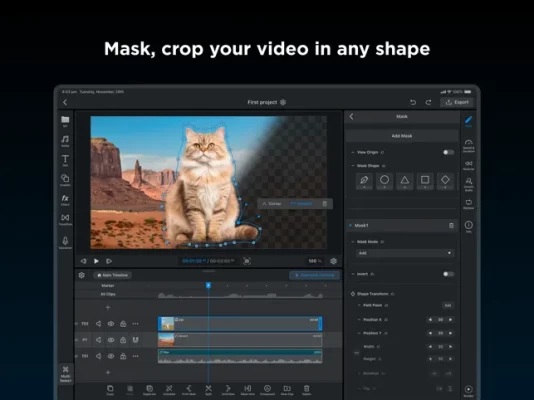
[ Mask, Crop Your Video In Any Shape ]
• Create masks freely with the pen tool
• Add multiple masks on a single clip
• For seamless blending, adjust parameters such as roundness or feather
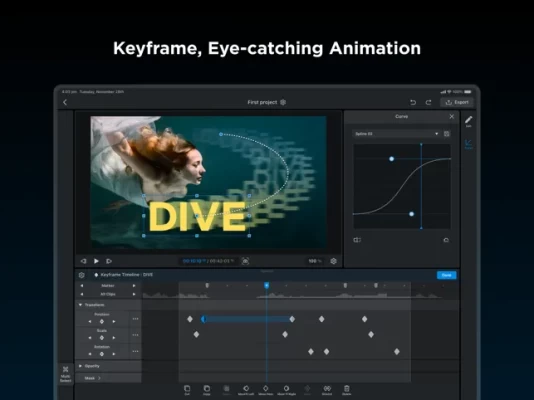
[ Keyframe, Eye-catching Animation ]
• Adjust interpolation between keyframes for dynamic speed control
• Use individual keyframes for each parameters (size, position, etc.)
[ Various Built-in Assets ]
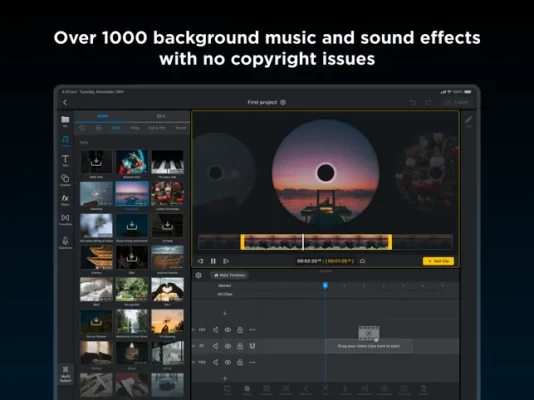
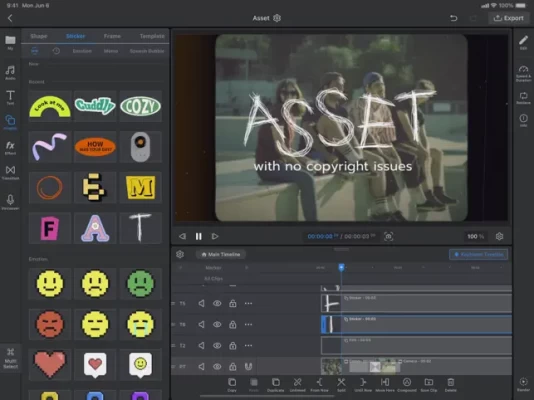
• Free background music, sound effects, design text, graphics, effects, and transitions that are updated periodically
• 1700+ copyright-free BGM and sound effects
• 5000+ vector stickers, frames, and templates that won't break even when enlarged
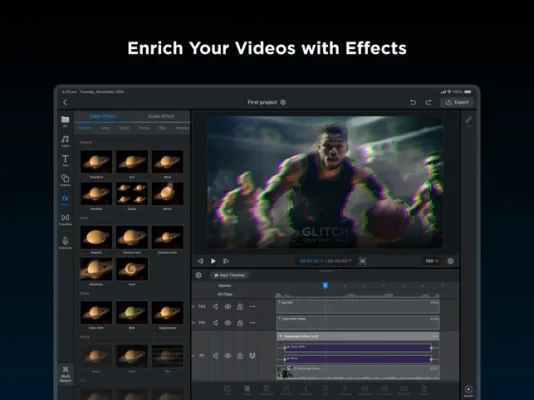
[ Enrich Your Videos with Effects ]
• Various video effects including Adjustments, Glitch, Gaussian Blur, Chromakey, Wave, Mosaic, etc.
• Detailed audio effects such as Echo, Reverb, EQ, Distortion, Pitch, etc.
[ Multi-Editing, The start of quick editing ]
• Use the multi-select button to edit multiple clips all at once, just like in PC
• From cutting clips to changing detailed property values, use multi-editing to complete your video faster
[ Group Multiple Clips into One Clip, Compound ]
• You can move or edit compounded clips at once
• You can enter the selected compound and edit individual clips inside it
[ Unrivaled Text Design ]
• Edit the appearance of each character in the text, such as size, color and more
• Save the style of your text and reuse it whenever you want
• Add as many text strokes and shadows as you want
[ Professional Export Options ]
• 4K ultra-high definition export
• Transparent export without background
• GIF, video, image export
• 24, 30, 60fps export
[ Keyboard Shortcuts, Maximize Work Productivity ]
• Shortcuts for essential editing features boost your editing performance
[ Etc ]
• Save all clips(video, audio, text, graphic, transition, compound, etc.) in the browser to reuse it anytime
• Edit even heavy projects in a comfortable environment through rendering
• No watermark left even if you don't pay
• All videos you edit are automatically saved in “My Project”
• All editing actions can be easily restored/reapplied with unlimited Undo/Redo functions
• You can preview the video you are working on in full screen
• Smart Guides(Snapping) and Grid make it easy to adjust the position, scale, and angle when placing assets or media
** This software is optimized for M1 and M2 chips, and the execution speed may vary depending on the device specifications. For optimal performance, we recommend using the latest devices.
• Experience professional-level editing anytime, anywhere with the portability of iPad and features comparable to PC editors
• It's easy to create artistic and innovative videos and images
• From beginners to experts, we provide an intuitive interface so that anyone who wants to become good at video editing can quickly learn advanced editing functions and use them easily
• An interface optimized for iPad allows for faster and more detailed editing using touch gestures and Apple Pencil
[ Mask, Crop Your Video In Any Shape ]
• Create masks freely with the pen tool
• Add multiple masks on a single clip
• For seamless blending, adjust parameters such as roundness or feather
[ Keyframe, Eye-catching Animation ]
• Adjust interpolation between keyframes for dynamic speed control
• Use individual keyframes for each parameters (size, position, etc.)
[ Various Built-in Assets ]
• Free background music, sound effects, design text, graphics, effects, and transitions that are updated periodically
• 1700+ copyright-free BGM and sound effects
• 5000+ vector stickers, frames, and templates that won't break even when enlarged
[ Enrich Your Videos with Effects ]
• Various video effects including Adjustments, Glitch, Gaussian Blur, Chromakey, Wave, Mosaic, etc.
• Detailed audio effects such as Echo, Reverb, EQ, Distortion, Pitch, etc.
[ Multi-Editing, The start of quick editing ]
• Use the multi-select button to edit multiple clips all at once, just like in PC
• From cutting clips to changing detailed property values, use multi-editing to complete your video faster
[ Group Multiple Clips into One Clip, Compound ]
• You can move or edit compounded clips at once
• You can enter the selected compound and edit individual clips inside it
[ Unrivaled Text Design ]
• Edit the appearance of each character in the text, such as size, color and more
• Save the style of your text and reuse it whenever you want
• Add as many text strokes and shadows as you want
[ Professional Export Options ]
• 4K ultra-high definition export
• Transparent export without background
• GIF, video, image export
• 24, 30, 60fps export
[ Keyboard Shortcuts, Maximize Work Productivity ]
• Shortcuts for essential editing features boost your editing performance
[ Etc ]
• Save all clips(video, audio, text, graphic, transition, compound, etc.) in the browser to reuse it anytime
• Edit even heavy projects in a comfortable environment through rendering
• No watermark left even if you don't pay
• All videos you edit are automatically saved in “My Project”
• All editing actions can be easily restored/reapplied with unlimited Undo/Redo functions
• You can preview the video you are working on in full screen
• Smart Guides(Snapping) and Grid make it easy to adjust the position, scale, and angle when placing assets or media
** This software is optimized for M1 and M2 chips, and the execution speed may vary depending on the device specifications. For optimal performance, we recommend using the latest devices.
Đánh giá ứng dụng
Thêm nhận xét và đánh giá
Đánh giá của người dùng
Dựa trên 0 đánh giá
Chưa có đánh giá nào được thêm vào.
Các bình luận sẽ không được chấp thuận để đăng nếu chúng là SPAM, lạm dụng, lạc đề, sử dụng ngôn từ tục tĩu, chứa đựng sự tấn công cá nhân hoặc kích động sự thù ghét dưới bất kỳ hình thức nào.













Xem thêm »

Phổ biến nhất

MiniTool Power Data Recovery Free 8.5.0MiniTool Solution Ltd.

Zalo PCZalo Group

Dingtone: Calling & TextingPhone call & text message app

Payback 2 - The Battle SandboxApex Designs Games LLP

MBCambodia My BankMB Bank

Top Football Manager 2024Gamegou Limited

Duolingo: Học ngoại ngữDuolingo

War Thunder MobileTanks, ships and aircraft

King of boxingKEENGAME

Đấu trường OnmyojiDZOGAME Viet Nam
Xem thêm »
Công cụ hữu ích

TikTokTikTok Pte. Ltd.

FacebookMeta Platforms, Inc.

HWiNFO7.68REALiX
Zalo PCZalo Group
War Thunder MobileTanks, ships and aircraft

Grim Soul: Dark Survival RPGBrickworks Games Ltd

Craft of Survival - Gladiators101XP LIMITED

Last Shelter: SurvivalLong Tech Network Limited

Dawn of Zombies: Survival GameRoyal Ark

Merge Survival : WastelandStickyHands Inc.
 Games - Trò chơi
 Mạng Xã Hội
 Email - Chat - Gọi Điện
 Ứng Dụng Giải Trí
 Bảo Mật
 Phần mềm hệ thống
 Đa phương tiện
 Internet
 Tài Chính- mua sắm
 Thiết Kế
 Giáo Dục
 Công Nghệ Thông Tin
 Du lịch và địa điểm
 Android
 iOS
iOS Windows
 Mac
Mac Linux
Linux Web
Web